Tara
Tara is a design-only AAC concept. AAC, or Augmentative and Alternative Communication, refers to communication systems that help people communicate when they cannot rely on natural speech. Tara focuses on phrase building, quick speech output, recovery from accidental taps, and a calm interface that works for repeated daily use.
Showcase layout
1) Core communication flow
Splash
A quiet entry point with a soft blue palette and clear brand mark.
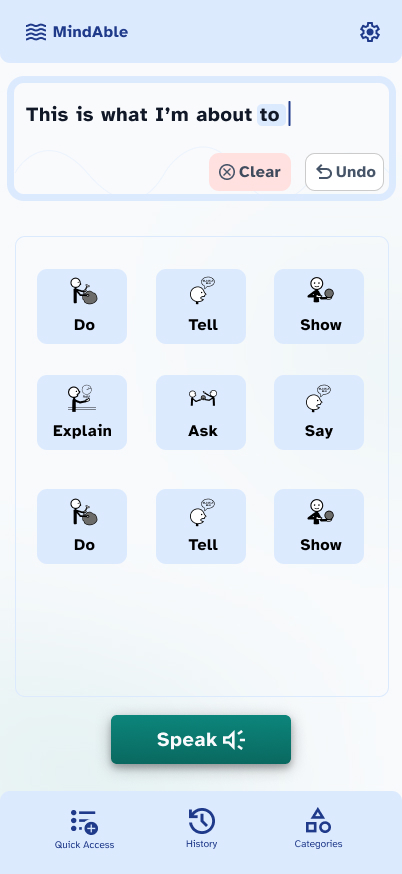
Home
Phrase builder, large communication buttons, and speech output in one stable layout.
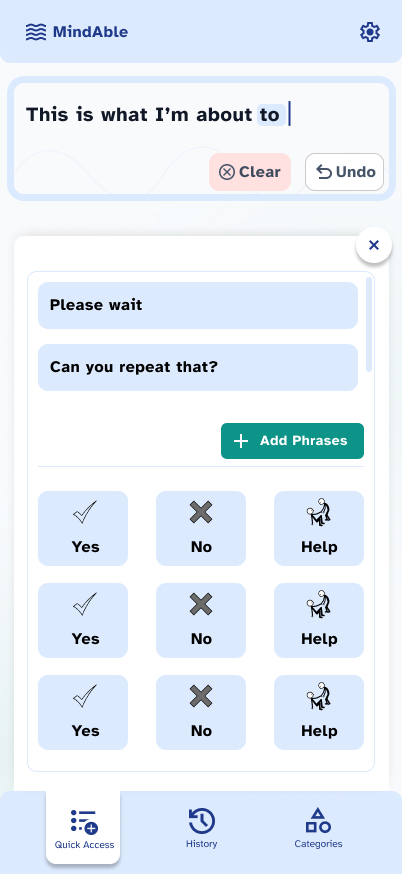
Quick access
High-frequency phrases stay close, reducing effort for urgent communication.
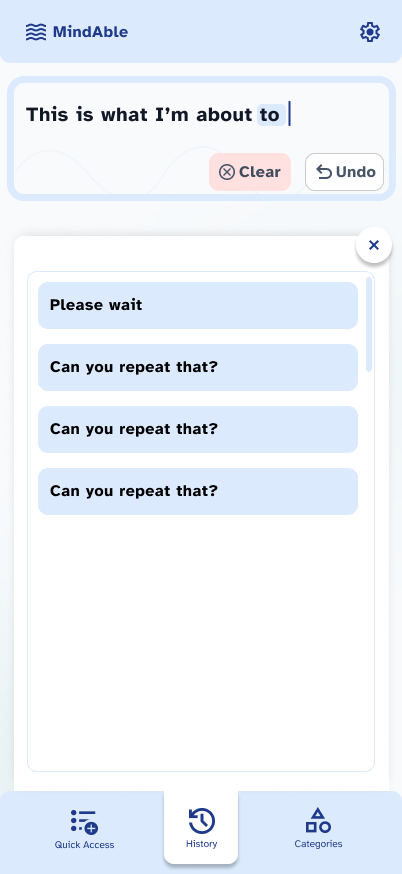
History
Recent phrases can be reused without rebuilding a sentence from scratch.
2) Categories and customization
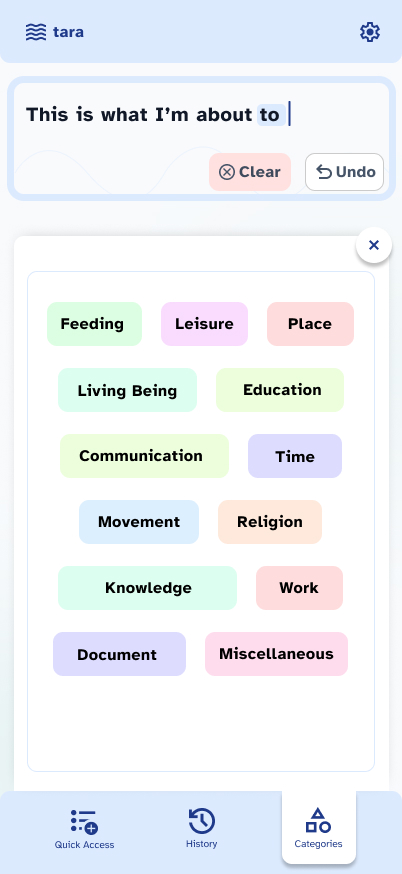
Categories
Color groups structure the vocabulary without turning color into decoration.
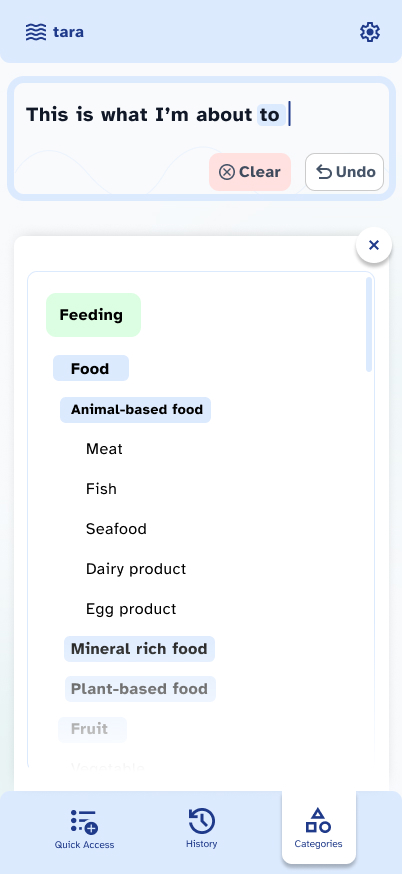
Feeding category
Nested vocabulary keeps specific needs available after one clear decision.
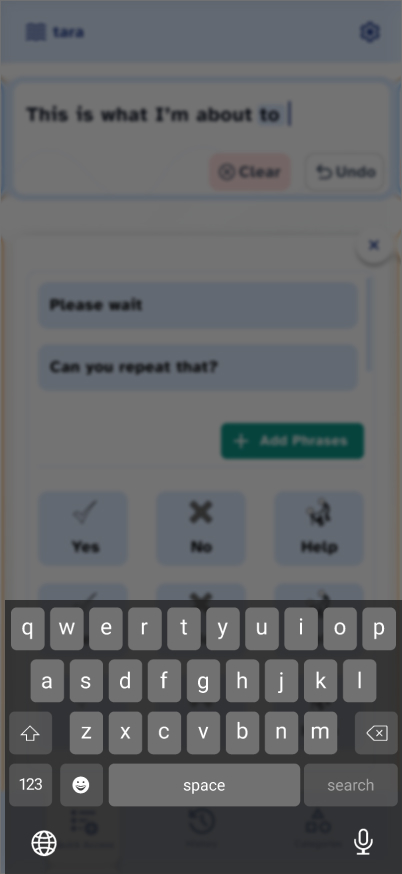
Add phrase
Personalization supports individual vocabulary instead of forcing a fixed phrase set.
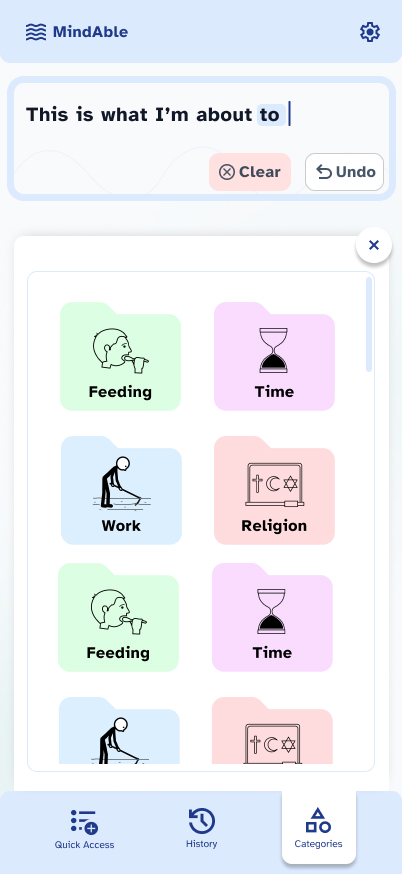
Category exploration 1
Layout study for grouping vocabulary into easy scanning zones.
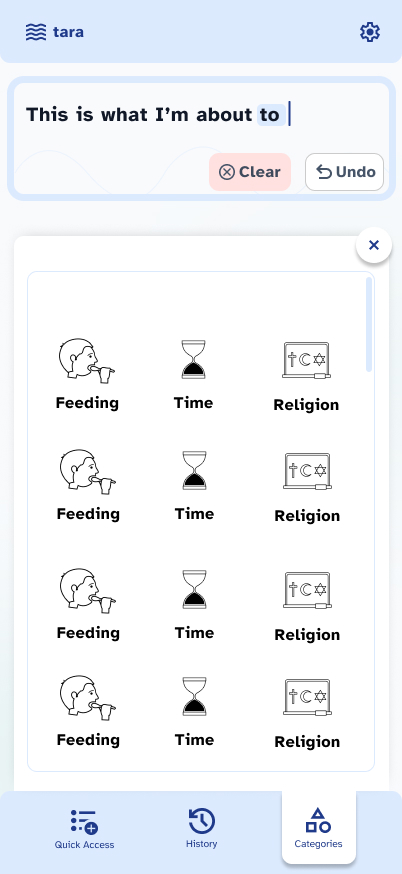
Category exploration 2
Alternate spacing and hierarchy exploration for the same category model.
Design system
Tara uses Atkinson Hyperlegible Free because it is designed for accessibility, has clear character differentiation, performs well at large button sizes, and gives the product a neutral but warm voice.
The color system is intentionally restrained:
- Blue supports communication, clarity, and trust.
- Teal adds warmth without overstimulation.
- The palette stays adult-appropriate and works across age groups.
- Softer blues and teals reduce anxiety compared with red or orange-heavy systems.
Color is used as structure. Category colors help people understand groups and location, while core actions keep consistent placement and contrast.
Interaction principles
Large, forgiving touch targets are central to the concept. The interface avoids dense controls, keeps bottom navigation predictable, and repeats important actions in stable positions so users can build muscle memory.
Error tolerance is treated as a primary feature:
- Undo is always visible near the sentence builder.
- Clear is separate and visually softer than speech output.
- Destructive actions require recovery paths.
- Accidental tap protection matters, especially for people with motor impairments.
Accessibility notes
Symbols are paired with text labels to avoid relying on icon interpretation alone. Symbols need testing with actual users and caregivers because a visual that seems obvious to a designer can be ambiguous in practice.
The hierarchy is intentionally simple: sentence builder at the top, vocabulary or phrase content in the middle, speech output as the primary action, and navigation at the bottom. The goal is to make the app feel dependable rather than busy.
Design decisions
- Persistent sentence bar makes the current message visible while browsing categories.
- Quick access supports recurring needs like "Please wait", "Can you repeat that?", "Yes", "No", and "Help".
- History reduces repeated effort for phrases the user has already spoken.
- Category overlays keep the user in context instead of sending them through deep page changes.
- The Speak button is visually dominant and placed below the vocabulary area to confirm intent before audible output.